VectoSolve — AI PNG to SVG Converter

PNG to SVG Converter
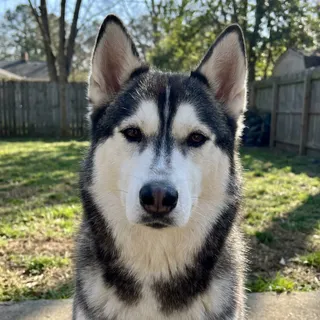
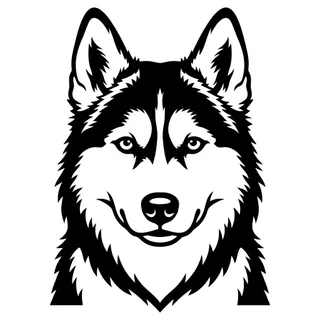
Drop your picture here
A photo, a logo or a drawing · PNG, JPG, WEBP up to 25MB · several at once
See your full result before you pay · $6.99 one-time, or $49 a year for 25 a month
Transform any logo, image, or graphic from PNG to SVG in seconds with AI-powered raster to vector conversion.
What are you making?
No image yet? Create one from scratch
Our own logo as a small PNG, then as the SVG VectoSolve gives you back.
A 64-pixel PNG looks fine this small
See it before you pay
The full preview is free. You only pay once the file looks right.
Failed conversion? Credit back
If a paid conversion fails, the credit returns to your balance automatically.
Cancel in two clicks
Plans stop from your account page, no email, no phone call.
Support by email
A question about a file or a plan? Write to contact@vectosolve.com.
Convert PNG, JPG, and WEBP images to high-quality SVG vectors. Perfect for logos, icons, illustrations, and graphics that need infinite scalability without quality loss. Our AI technology traces your images with precision, creating clean vector paths ready for web, print, and design.
Professional Image to Vector Conversion Tool
VectoSolve turns a PNG, JPG or WEBP into an SVG you can actually use: a logo for a print shop, a drawing for a Cricut, a photo of your dog for a laser engraver. You drop the picture, look at the preview, and only then decide whether to download it.
Auto-trace tools tend to hand back hundreds of tiny shapes and stray specks that a machine then tries to cut one by one. We remove the specks, merge colours that are nearly the same and close every outline, so the file opens cleanly in Design Space, Silhouette Studio, LightBurn or Illustrator, and stays small.
Why Convert Images to SVG Format?
Perfect Scalability
SVG graphics scale infinitely without losing quality. Use the same file for a favicon or a billboard, it always looks perfect.
Smaller File Sizes
Vector files are typically much smaller than high-resolution PNGs, leading to faster page loads and better SEO.
Easy Editing
SVG files can be edited in code or design software, making color changes and modifications simple.
Print Ready
Vector graphics are the industry standard for professional printing and ensure crisp results at any size.
How Our Image Vectorization Works
Subscribe & Save
The yearly plan costs less than half the monthly one, and you set it once. Monthly is right there too if you prefer it. Cancel anytime, either way.
Used every day by makers and designers
Crafters, print shops, Etsy sellers and designers use it when a picture has to become a clean file.
Trusted by makers who work with
Featured on
Specialized Workflows
SVG Files for Every Project
Whether you're crafting, cutting, or creating: VectoSolve converts your images to the perfect SVG for your workflow.
SVG for Cricut
Cut-ready SVGs for Cricut Maker, Explore & Joy. Works with Design Space.
SVG for Laser Cutting
Precision vectors for Glowforge, xTool, and CO2 lasers.
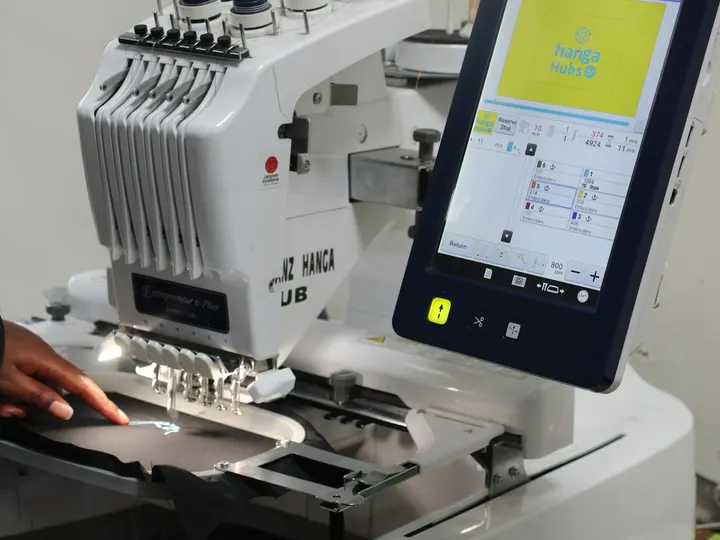
SVG for Embroidery
Clean vectors for better embroidery digitizing and stitch quality.
SVG for Bambu Lab
Multi-color prints from any logo: AMS-ready layers for Bambu Studio.
70 converters
All Image Conversion Tools
Convert any image format to scalable SVG vectors. Choose your source format below or use our raster to vector converter for any pixel-based image.
PNG to SVG Converter Online Free
Convert JPG to SVG Online Free
Convert JPEG to SVG Vector Format
Convert WEBP to SVG Online
Convert GIF to SVG Vector
Vectorize Logo for Print — EPS, AI, PDF & SVG
Convert Icons to SVG Vector Format
Image to Vector Converter Online Free
Raster to Vector Converter Online Free
Convert Pictures to Scalable SVG Art
Convert Any Bitmap Image to SVG
Trace Images to SVG Automatically
Turn Photos into Vector Art & Illustrations
Digitize Sketches to Editable Vectors
Convert Designs to SVG
Convert JPG to Vector Online Free
Convert PNG to Vector Online Free
Quick Pic to SVG Converter
Free Online SVG Converter
Convert Any Image to SVG Free
Free Online Image Vectorizer
Convert Image to SVG for Cricut Free
Convert Photo to SVG for Design & Crafting
Convert Logo to SVG for Web & Digital
Convert Hand-Drawn Sketches to SVG
Convert JPG to SVG for Cricut
Convert PNG to SVG for Silhouette
Convert Any Image to a Cut File
Convert Clipart to SVG Vector
Convert Watercolor Paintings to SVG
Convert Sticker Designs to SVG
Convert Images to DXF Online
Convert Images to EPS Online
PNG to DXF Converter
SVG to DXF Converter
Convert HEIC to SVG Online Free
Convert TIFF to SVG Online Free
Convert .BMP Files to SVG Vectors
Convert AI to SVG Online Free
Convert EPS to SVG Online Free
Convert PDF to SVG Online Free
Convert PSD to SVG Online Free
Convert SVG to GIF Online Free
Convert SVG to WebP Online Free
Convert SVG to PDF Online Free
Convert SVG to EPS Online Free
Convert SVG to AI (Illustrator) Online Free
Convert PNG to EPS Online Free
Convert JPG to DXF Online
Convert Photo to DXF Online
Convert Image to G-code Online
Convert SVG to DST (Tajima) Online
Convert SVG to PES (Brother) Online
Convert SVG to JEF (Janome) Online
Convert PNG to AI (Adobe Illustrator) Online
Convert an Image to DST (Tajima) Online
Convert a Logo to DXF Online
Convert a Logo to EPS Online
Convert PDF to DXF Online
Convert an Image to PES (Brother) Online
Convert an Image to JEF (Janome) Online
Convert an Image to AI (Illustrator) Online
Convert JPG to AI (Illustrator) Online
Convert SVG to G-code Online
Convert PNG to G-code Online
Convert JPG to G-code Online
Convert a Logo to G-code Online
Convert JPG to EPS Online
Convert an Image to CAD (DXF) Online
Convert PNG to SVG for Inkscape
Resources & Guides
Discover our articles to master image vectorization and optimize your graphics for the web.
Turn a Customer's Logo Into a Multicolor Keychain (Bambu AMS)
A step-by-step guide for makers who sell custom keychains: from the logo a customer sends you to a 3MF with one part per color, the ring hole, a test print, and the rights checklist to run before you take the order.
One Photo, Three Machines: What a Cricut, a Laser and an Embroidery Machine Each Make From the Same Picture
The same phone photo can become a car decal, an engraved wooden sign and an embroidered cap. Here is what each machine needs, 15 projects to try, and how to pick a picture that works.
Trace a scanned drawing into Rhino 8 curves: one spline per stroke with VectoSolveTrace
Rhino has no raster-to-curve command and the free Vectorize plug-in traces outlines. VectoSolveTrace does the centerline pass: one editable SPLINE per stroke, imported as a millimetre DXF into the open document.
What actually happens when you convert an image
A PNG or a JPG is a grid of coloured squares. There are no shapes recorded anywhere in it, which is why enlarging one gives you bigger squares rather than a cleaner edge. An SVG stores the geometry itself: curves and lines described mathematically, so it holds at any size, on a business card or on the side of a van.
Converting between the two is not a format change, it is a rebuild. The engine finds the edges in your image and redraws them as paths. That is why the quality of what you upload decides the result far more than any setting does, and why a clean logo at a reasonable size converts beautifully while a screenshot of a screenshot does not.
PNG to SVG, on a real logo

Three things decide how well a PNG converts:
- The original file, not a copy of a copy. A logo exported at its real size traces cleanly; a screenshot or a PNG that was once a JPG carries blur and compression marks into the paths.
- A transparent background when you have one. The tracer then follows the real outline of the design instead of guessing where a white rectangle ends.
- Flat colours. Each colour becomes its own set of shapes. Gradients and photo shading come out as bands of flat colour, which is right for a logo and wrong for a portrait.
What you get, beyond the SVG
The same conversion also gives you the containers a machine actually reads. A cutter or a router wants DXF or G-code. A press or a supplier asks for EPS or AI. An embroidery machine needs stitches rather than shapes, which is a second job on top of the trace: DST for commercial heads, PES for Brother, JEF for Janome.
Background removal, colour editing and batch conversion are part of the same pass, so a job that would normally mean three tools happens in one.
Questions people ask before converting
- How do I convert a PNG to SVG?
- Drop the PNG, JPG or WEBP in the box at the top of this page. A preview appears in a few seconds: zoom in to check the edges, then download the SVG. There is nothing to install, and it works on a phone.
- Is it free?
- The preview is free, needs no signup and carries a watermark. To download one clean file, you pay $6.99 for that file. If you convert often, plans start at $7.99/month and unused credits roll over to the next month.
- Will converting to SVG make a blurry image sharp?
- Partly. The edges are redrawn as clean shapes, so a slightly soft logo comes back crisp at any size. Detail that is not in the picture cannot be invented, though. Around 1000 pixels on the long edge is a comfortable floor; below roughly 500 the trace follows the blur, because it cannot know the blur was not intended.
- Is it better than Image Trace in Illustrator?
- Image Trace works from presets you tune by hand, and it often leaves stray specks and hundreds of extra points. VectoSolve removes the specks and merges close colours on its own, so the file is usable as it comes. If you already own Illustrator and enjoy tuning, Image Trace can get there too; it just takes longer.
- Can I convert a photograph?
- You can, and it is worth knowing what you will get. A photo holds thousands of subtle tones, and turning them into flat shapes gives a poster-like rendering rather than a faithful copy. For logos, drawings, icons and lettering, it does exactly what you expect.
- Can I change the colours or remove the background?
- Yes. Once the preview is ready you can recolour each colour of the SVG and remove the background in the same place, before you download.
- Does the SVG work with Cricut, Silhouette or a laser?
- Yes. The SVG imports into Cricut Design Space and Silhouette Studio with closed shapes, which is what a machine needs to follow an outline all the way round. For lasers and CNC, the same conversion also exports DXF. More on cut files.
- Can I use the files commercially?
- Yes. The files you convert are yours to use, including on products you sell and client work, as long as you own the rights to the picture you uploaded.
- What if the result is not good enough?
- You see the full result before paying, so you never pay for a file you have not checked. For artwork that needs more than the converter, our done-for-you service prepares the file for you: free quote, and you pay only after you have seen the preview. See the done-for-you service.
Popular conversions
Jump straight to the converter you need — all free to try, no signup.
Stay in the loop
Get vectorization tips, new feature updates & exclusive deals. No spam, unsubscribe anytime.